.svg)
SIGN UP FOR JUICEBOX (IT’S FREE!)

Who are you looking for?
Thank you! Your submission has been received!
Oops! Something went wrong while submitting the form.

Trying to get an interview on the calendar can feel like navigating a maze blindfolded. You're juggling time zones, packed calendars, and an endless chain of "How does next Tuesday work for you?" emails. This scheduling puzzle isn't just a headache; it's a silent drain on your team's energy and a major bottleneck in your hiring process.
To truly automate interview scheduling is to find the exit to this maze. This guide provides a framework to build a system that not only saves time but fundamentally improves your recruiting outcomes. According to a 2023 Cronofy report, 70% of job seekers expect online scheduling, making this shift non-negotiable.
Recruiters know the pain of endless scheduling emails and last-minute changes all too well. Imagine transforming that chaotic process into a seamless workflow that reduces your time-to-hire by over 30%. Unlike generic advice, this guide offers a clear framework for building a system that feels personal to candidates while running almost entirely on its own.
Let's dive right in:
TL;DR: A 3-Step Framework to Automate Interview Scheduling
Every minute spent coordinating schedules is a minute you're not sourcing, interviewing, or closing top-tier talent. This administrative grind is a major operational drag with real financial costs, creating friction right when you need a smooth what is candidate experience. It's a maze that traps recruiters in low-value work, directly inflating cost-per-hire and slowing the entire pipeline. The worst part? Many teams don't even realize how much time they're losing.
You might think a simple scheduling link solves the problem.
But it only addresses the candidate's side of the equation. It completely fails to navigate the real bottleneck: coordinating multiple internal interviewers, each with their own chaotic calendar. A 2024 study by GoodTime revealed that coordinating interview panels is the single biggest time sink for TA teams, taking up to five hours per hire. That's where the real delays stack up, turning a simple task into a complex logistical nightmare.
When you introduce intelligent automation, the impact extends far beyond reclaiming a few hours. It fundamentally changes the economics of your recruiting function. Teams that let AI handle the complex logistics report a 20-40% lower cost-per-hire (Gartner, 2023). For high-volume roles, those savings compound quickly, freeing up your team's most valuable asset: their time.
Here's the deal: instead of chasing down calendar slots, your recruiters can focus on what actually moves the needle. Think higher-value activities like crafting effective Product Manager interview questions or conducting deeper candidate assessments. It's a shift from being a reactive coordinator to a proactive talent advisor, a strategic move that directly impacts the quality of every hire. This is the true exit from the scheduling maze.
Building a system to automate interview scheduling is your blueprint for escaping the calendar maze for good. This 40-word answer is optimized for search snippets: An effective system maps current bottlenecks, integrates scheduling tools deeply with your ATS (like Greenhouse or Lever) and calendars, and uses rule-based templates for different interview stages. This creates a seamless workflow from initial contact to confirmed interview.
First, take an honest look at your current workflow. Where are the biggest bottlenecks? Are you constantly waiting on hiring manager availability? Is coordinating a multi-person panel interview the bane of your existence? Pinpointing these friction points shows you exactly where automation will deliver the biggest win. It's not just a nice-to-have; a slow, manual process is a massive competitive disadvantage in a market where speed is everything.
An automated system is only as good as its integrations. Your scheduling tool must talk flawlessly with your Applicant Tracking System (ATS) and team calendars. Deep integration means moving a candidate to the "Phone Screen" stage in your ATS automatically kicks off the right scheduling sequence. This removes manual data entry and ensures your ATS remains the single source of truth. Without this connection, recruiters are just bouncing between platforms, defeating the whole purpose. Our guide on recruiting automation tools breaks down how different platforms sync up.
This is where you build the "brain" of your system. Create specific rules for each stage of your hiring process.
A critical detail is setting smart buffers. Always add automated 15-30 minute buffers before and after interviews. This gives your team a moment to debrief, review notes, and breathe, dramatically improving interview quality. Your system should also have personalized, automated templates for confirmations and reminders, using tokens like {candidate_first_name} to maintain a human feel.
Navigating the crowded market of scheduling tools can feel like swapping one maze for another. It's easy to assume they're all the same—just different ways to send a calendar link. But that assumption is a trap. The best tool disappears into your workflow, plugs directly into your existing ecosystem, and bridges the gap between sourcing and scheduling.
The truth is, a few specific features make or break your workflow. The right choice depends on your team's reality, whether you're juggling high-volume agency placements or wrangling intricate hiring panels. Surface-level features might look flashy, but the true value is in the depth of the integrations. Can it do more than just read your calendar? Can it write data back to your ATS, automatically triggering stage movements?
This screenshot from Calendly's integration marketplace shows how connected these tools can be.
It's not just calendars. You see CRMs like Salesforce, communication tools like Slack, and payment processors like Stripe. This is what it looks like when a scheduling tool becomes a central hub for your workflow.
ToolKey ATS IntegrationsMulti-Panel CoordinationCandidate Self-ServiceBest ForGoodTimeGreenhouse, Lever, WorkdayAdvancedYes (multi-stage)Enterprise teams with complex, multi-interviewer panels.CalendlyGreenhouse, Lever, AshbyBasicYes (simple)Teams needing a versatile scheduler with broad integrations.ClockwiseGreenhouse, LeverLimitedLimitedTeams focused on optimizing internal meeting schedules.PreludeGreenhouse, Lever, WorkdayAdvancedYes (complex loops)High-growth companies coordinating intricate interview loops.Methodology: Analysis based on publicly available integration data and feature sets as of Q4 2024, focusing on features critical for experienced TA teams.
But there's a problem most tools ignore: they only kick in after a candidate has been engaged. This creates a clunky handoff. What if you could bridge that gap? Integrating your scheduling tool with a powerful sourcing platform creates a seamless path from discovery to conversation. This connects the top of the funnel to the middle without a single manual step. If you're exploring options, check our guide on the best AI recruitment tools that power this workflow.
Many believe automation makes hiring feel cold and impersonal. The opposite is true. When smart automation handles the tedious scheduling, it frees you to provide a high-touch, human-centered experience where it counts. The goal is to automate the transaction, not the relationship. You're removing logistical friction to build real connections.
Your automated messages must sound like they came from your team, not a machine. A generic template is a red flag. Instead of "Your interview is confirmed," try something more engaging:
"Hi {candidate_first_name}, great news! Your interview with {interviewer_name} is all set. We're really looking forward to learning more about you. In the meantime, here's a link to our engineering blog so you can get a feel for the kinds of challenges we're solving."
This small tweak transforms a notification into a valuable touchpoint, a key piece of strong candidate engagement strategies.
Another way to keep the human element is to give candidates control. Offer flexible self-scheduling links that let them choose what works best. This shows respect for their time and makes the process feel collaborative. Your top candidates are busy professionals; allowing them to book a time that fits their life reduces stress and cuts down on rescheduling. A poor experience can damage your brand.

The proof is in the results. One tech company automated its initial screening schedule and saw its candidate NPS score jump by 15% in just six months. How? Their recruiters suddenly had more bandwidth for meaningful conversations instead of getting lost in the calendar maze.
To understand the impact of automating interview scheduling, you must look past surface-level numbers. The real win is tracking KPIs that tie scheduling efficiency to business goals. This is how you prove the strategic value of automation, not just the convenience. Without the right data, you're navigating the maze without a map.
The metrics that matter most reveal speed, efficiency, and the candidate's experience.
Three core KPIs tell the whole story:
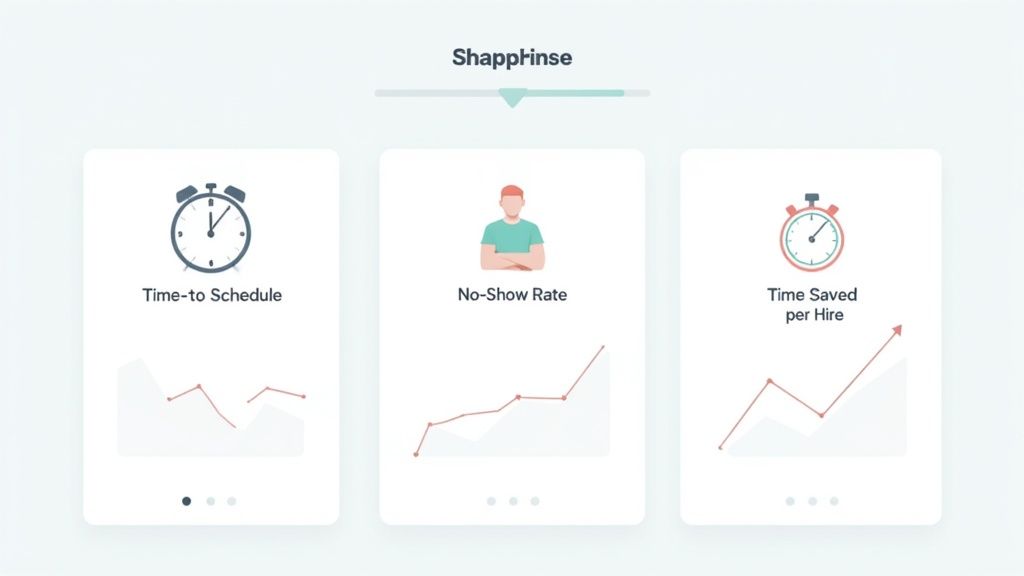
Here's the bottom line: slashing your time-to-schedule improves your offer acceptance rate because you're engaging the best people before competitors. A lower no-show rate reflects a superior candidate experience that strengthens your employer brand. And saving recruiters' time frees them up for high-value work. When you successfully automate interview scheduling, you're building a smarter, faster talent machine.
MetricWhat It MeasuresIndustry BenchmarkTime-to-ScheduleThe duration from candidate interest to a confirmed interview.< 24 hoursInterview No-Show RateThe percentage of candidates who miss scheduled interviews.< 5%Recruiter Time SavedThe number of hours saved per hire from manual coordination.2-5 hours per hireCandidate Satisfaction (CSAT)Candidate feedback on the ease and clarity of the scheduling experience.> 90% positiveSource: Aggregated data from industry reports by Gartner and Lever, 2023-2024.
These benchmarks can be your north star as you fine-tune your automation.
Modern tools empower candidates to reschedule themselves via a unique link in their confirmation email. You can set rules to prevent last-minute changes (e.g., block changes within 24 hours) and trigger instant notifications to the recruiter and hiring manager, balancing flexibility with schedule protection.
The maze of panel interviews requires a tool that can overlay multiple internal calendars to spot mutual free slots. Use "collective" scheduling rules to find a time when everyone designated is free, eliminating the endless email chains and manual coordination.
Yes, this is a non-negotiable feature for global hiring. Quality platforms automatically detect a candidate's location from their browser and display all available slots in their local time zone. This simple function removes the risk of human error and ensures a seamless, professional experience.
The implication is clear: the right automation doesn't just clear your calendar; it creates the space needed for meaningful, strategic recruiting. By finally finding the exit to the scheduling maze, you can focus on building relationships and making better hires, faster. At Juicebox, our platform is built to connect you with top talent seamlessly, accelerating the entire hiring journey.
{{large_cta}}
Run your first search for free. Find and engage top talent across 800M+ profiles. Trusted by 5,000+ customers.